Core Networking

Core Networking

DirectX an interface b/w PC hardware and Windows

At the most basic level, DirectX is an interface between the hardware in your PC and Windows itself, part of the Windows API or Application Programming Interface. When a game developer wants to play a sound file, it’s simply a case of using the correct library function. When the game runs, this calls the DirectX API, which in turn plays the sound file. The developer doesn’t need to know what type of sound card he’s dealing with, what it’s capable of, or how to talk to it. Microsoft has provided DirectX, and the sound card manufacturer has provided a DirectX-capable driver. He asks for the sound to be played, and it is – whichever machine it runs on.

From my point of view as gamer, DirectX also makes things incredibly easy – at least in theory. We install a new sound card in place of your old one, and it comes with a DirectX driver. Next time we play your favourite game we can still hear sounds and music, and we haven’t had to make any complex configuration changes.

Originally, DirectX began life as a simple toolkit:
early hardware was limited and only the most basic graphical functions were required. As hardware and software has evolved in complexity, so has DirectX. It’s now much more than a graphical toolkit, and the term has come to encompass a massive selection of routines which deal with all sorts of hardware communication. For example, the DirectInput routines can deal with all sorts of input devices, from simple two-button mice to complex flight joysticks. Other parts include DirectSound for audio devices and DirectPlay provides a toolkit for online or multiplayer gaming such as networking.
READ MORE - DirectX an interface b/w PC hardware and Windows

CISCO Solutions Provide

Cisco Network Systems are the foundation for the services and applications to realize the potential of business. Cisco switches, routers, and software together, create an inherently intelligent integrated network to adapt current and future business needs by:
  1. Providing secure, but unconstrained, connectivity between employees, customers and information
  2. Delivering quality, real-time applications, such as voice and video, on a converged network platform
  3. Ensuring access to information and resources from anywhere
  4. Automating a manageable and self-defending network
  5. Reducing operating expenses
Cisco solutions for business security provide advanced visibility and control. By enforcing business policies and protecting critical assets, a Cisco Self-Defending Network help organization to:
  1. Minimize security and compliance IT risk
  2. Reduce the IT administrative burden
  3. Lower total cost of ownership

Cisco Self-Defending Network provide:
  1. Help ensure compliance with security regulations
  2. Protect against data leakage
  3. Defend against botnets
READ MORE - CISCO Solutions Provide

Importance of BANDWIDTH in DSL Internet Connections

Most hosting companies offer a variety of bandwidth options in their plans. So exactly what is bandwidth as it relates to web hosting? Put simply, bandwidth is the amount of traffic that is allowed to occur between your web site and the rest of the internet. The amount of bandwidth a hosting company can provide is determined by their network connections, both internal to their data center and external to the public internet.

Network Connectivity

The internet, in the most simplest of terms, is a group of millions of computers connected by networks. These connections within the internet can be large or small depending upon the cabling and equipment that is used at a particular internet location. It is the size of each network connection that determines how much bandwidth is available. For example, if you use a DSL connection to connect to the internet, you have 1.54 Mega bits (Mb) of bandwidth. Bandwidth therefore is measured in bits (a single 0 or 1). Bits are grouped in bytes which form words, text, and other information that is transferred between your computer and the internet.

If you have a DSL connection to the internet, you have dedicated bandwidth between your computer and your internet provider. But your internet provider may have thousands of DSL connections to their location. All of these connection aggregate at your internet provider who then has their own dedicated connection to the internet (or multiple connections) which is much larger than your single connection. They must have enough bandwidth to serve your computing needs as well as all of their other customers. So while you have a 1.54Mb connection to your internet provider, your internet provider may have a 255Mb connection to the internet so it can accommodate your needs and up to 166 other users (255/1.54).

Traffic

A very simple analogy to use to understand bandwidth and traffic is to think of highways and cars. Bandwidth is the number of lanes on the highway and traffic is the number of cars on the highway. If you are the only car on a highway, you can travel very quickly. If you are stuck in the middle of rush hour, you may travel very slowly since all of the lanes are being used up.

Traffic is simply the number of bits that are transferred on network connections. It is easiest to understand traffic using examples. One Gigabyte is 2 to the 30th power (1,073,741,824) bytes. One gigabyte is equal to 1,024 megabytes. To put this in perspective, it takes one byte to store one character. Imagine 100 file cabinets in a building, each of these cabinets holds 1000 folders. Each folder has 100 papers. Each paper contains 100 characters - A GB is all the characters in the building. An MP3 song is about 4MB, the same song in wav format is about 40MB, a full length movie can be 800MB to 1000MB (1000MB = 1GB).

If you were to transfer this MP3 song from a web site to your computer, you would create 4MB of traffic between the web site you are downloading from and your computer. Depending upon the network connection between the web site and the internet, the transfer may occur very quickly, or it could take time if other people are also downloading files at the same time. If, for example, the web site you download from has a 10MB connection to the internet, and you are the only person accessing that web site to download your MP3, your 4MB file will be the only traffic on that web site. However, if three people are all downloading that same MP at the same time, 12MB (3 x 4MB) of traffic has been created. Because in this example, the host only has 10MB of bandwidth, someone will have to wait. The network equipment at the hosting company will cycle through each person downloading the file and transfer a small portion at a time so each person's file transfer can take place, but the transfer for everyone downloading the file will be slower. If 100 people all came to the site and downloaded the MP3 at the same time, the transfers would be extremely slow. If the host wanted to decrease the time it took to download files simultaneously, it could increase the bandwidth of their internet connection (at a cost due to upgrading equipment).

Hosting Bandwidth

In the example above, we discussed traffic in terms of downloading an MP3 file. However, each time you visit a web site, you are creating traffic, because in order to view that web page on your computer, the web page is first downloaded to your computer (between the web site and you) which is then displayed using your browser software (Internet Explorer, Netscape, etc.) . The page itself is simply a file that creates traffic just like the MP3 file in the example above (however, a web page is usually much smaller than a music file).

A web page may be very small or large depending upon the amount of text and the number and quality of images integrated within the web page. For example, the home page for CNN.com is about 200KB (200 Kilobytes = 200,000 bytes = 1,600,000 bits). This is typically large for a web page. In comparison, Yahoo's home page is about 70KB.


How Much Bandwidth Is Enough?

It depends (don't you hate that answer). But in truth, it does. Since bandwidth is a significant determinant of hosting plan prices, you should take time to determine just how much is right for you. Almost all hosting plans have bandwidth requirements measured in months, so you need to estimate the amount of bandwidth that will be required by your site on a monthly basis

If you do not intend to provide file download capability from your site, the formula for calculating bandwidth is fairly straightforward:

Average Daily Visitors x Average Page Views x Average Page Size x 31 x Fudge Factor

If you intend to allow people to download files from your site, your bandwidth calculation should be:

[(Average Daily Visitors x Average Page Views x Average Page Size) +
(Average Daily File Downloads x Average File Size)] x 31 x Fudge Factor

Let us examine each item in the formula:

Average Daily Visitors - The number of people you expect to visit your site, on average, each day. Depending upon how you market your site, this number could be from 1 to 1,000,000.

Average Page Views - On average, the number of web pages you expect a person to view. If you have 50 web pages in your web site, an average person may only view 5 of those pages each time they visit.

Average Page Size - The average size of your web pages, in Kilobytes (KB). If you have already designed your site, you can calculate this directly.

Average Daily File Downloads - The number of downloads you expect to occur on your site. This is a function of the numbers of visitors and how many times a visitor downloads a file, on average, each day.

Average File Size - Average file size of files that are downloadable from your site. Similar to your web pages, if you already know which files can be downloaded, you can calculate this directly.

Fudge Factor - A number greater than 1. Using 1.5 would be safe, which assumes that your estimate is off by 50%. However, if you were very unsure, you could use 2 or 3 to ensure that your bandwidth requirements are more than met.

Usually, hosting plans offer bandwidth in terms of Gigabytes (GB) per month. This is why our formula takes daily averages and multiplies them by 31.

READ MORE - Importance of BANDWIDTH in DSL Internet Connections

NORTEL Visitor-Based Networking Solution

Defined as the delivery of high-speed wireline or wireless Internet access for PC or handheld devices to users in need of temporary service in public places, a Visitor-Based Network is typically deployed in environments such as hotels, convention centers, airports, press areas or other meeting spaces-either as a provider-managed service or by the enterprise itself. Nortel's VBN solution is designed to provide revenue-generating opportunities beyond network access-such as advertising, sales/promotion of core business services and multimedia delivery-resulting in a powerful engine to offer innovative and profitable services.

Nortel's Visitor-Based Networking (VBN) solution enables hospitality operators to offer flexible and value-added network access to their visitors through an in-house solution based on our fully interoperable portfolio of IP switches and WLAN devices.

With tiered, billable VBN-based data services, Nortel is revolutionizing profit potential from data as it has done in the past for voice. With the ability to identify and bill based on applications, hotels using a Nortel VBN could tap into more profitable business models. For example, it could offer business travelers corporate virtual private network connections or Internet voice as a premium service-presenting differentiable marketing opportunities for hotels with loyalty programs and corporate accounts.

In a Visitor-Based Networking service area, visitors attempting to access the Internet through a browser will get an IP address and be redirected to a customizable, secure VBN portal. At the VBN portal screen, the visitor can self-provision a variety of network services based on application content, bandwidth and security requirements. For example, the visitor may choose pay-by-bandwidth or pay-by-time services. The VBN portal provides full support of customer-initiated debit and credit card billing options as well as hotel account billing. Nortel's Visitor-Based Networking accommodates flexible service offers by "zones" within the facility—such as convention center, guest rooms and restaurant/lounge.
READ MORE - NORTEL Visitor-Based Networking Solution

Why Not Reserved IPs on Internet (STRUCTURE of an IP ADDRESS)

Every station on a PSN (packet switched network) that is based on the TCP/IP protocol (your computer is one, for example. Yes, we're referring to a host that is connected to the net) must have an IP address, so it can be identified, and information can be relayed and routed to it in an orderly fashion.

An IP address consists of a 32 bit logical address. The address is divided
into two fields:

1) The network address:
Assigned by InterNIC (Internet Network Information Center).
In fact most ISPs (internet service providers) purchase a number of addresses
and assign them individually.

2) The host address:
An address that identifies the single nodes throughout the network. It can be assigned
by the network manager, by using protocols for it such as DHCP, or the workstation itself.

[The IP networking protocol is a logically routed protocol, meaning that address 192.43.54.2
will be on the same physical wire as address 192.43.54.3 (of course this is not always true. It depends on the subnet mask of the network, but all of that can fill a text of its own)

IP address structure:


---.---.---.---

^ ^
| |
network | host

Every " --- " = 8 bits.
The first bits ===> network address
The last bits ===> host address.
with 8 bits you can present from 0-255 . (binary=(2 to the power of 8)-1)

Example:
11000010.01011010.00011111.01001010 (binary)
194.90.31.74 (decimal)

Notice the address range 127.X.X.X.
These addresses are assigned to internal use to the network device, and are
used as an application tool only. For example: 127.0.0.1, the most common one,
is called the loopback address - everything sent here goes directly back to
you, without even traveling out on the wire.
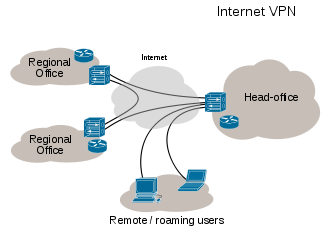
Also, some IPs are reserved for VPNs - Virtual Private Networks. These are
local area networks over wide area networks that use the Internet Protocol to communicate, and each computer inside the network is assigned with an IP address. So, suppose a certain computer wants to send a data packet to
another host on the network with the IP 'x', but there's also another host on
the Internet that has the same IP - what happens now?

So this is why we cannot use these and other forms of reserved IPs on the Internet.


READ MORE - Why Not Reserved IPs on Internet (STRUCTURE of an IP ADDRESS)

Proxy Servers HIDE IP address from WEB NOT other INFORMATION

The exchange of information in Internet is made by the "client - server" model. A client sends a request (what files he needs) and a server sends a reply (required files). For close cooperation (full understanding) between a client and a server the client sends additional information about itself: a version and a name of an operating system, configuration of a browser (including its name and version) etc. This information can be necessary for the server in order to know which web-page should be given (open) to the client. There are different variants of web-pages for different configurations of browsers. However, as long as web-pages do not usually depend on browsers, it makes sense to hide this information from the web-server.

What your browser transmits to a web-server:
a name and a version of an operating system
a name and a version of a browser
configuration of a browser (display resolution, color depth, java / javascript support, ...)
IP-address of a client
Other information

The most important part of such information (and absolutely needless for a web-server) is information about IP-address. Using your IP it is possible to know about you the following:
a country where you are from
a city
your provider?s name and e-mail
your physical address

Information, transmitted by a client to a server is available (accessible) for a server as environment variables. Every information unit is a value of some variable. If any information unit is not transmitted, then corresponding variable will be empty (its value will be undetermined).

These are some environment variables:

REMOTE_ADDR ? IP address of a client

HTTP_VIA ? if it is not empty, then a proxy is used. Value is an address (or several addresses) of a proxy server, this variable is added by a proxy server itself if you use one.

HTTP_X_FORWARDED_FOR ? if it is not empty, then a proxy is used. Value is a real IP address of a client (your IP), this variable is also added by a proxy server if you use one.

HTTP_ACCEPT_LANGUAGE ? what language is used in browser (what language a page should be displayed in)

HTTP_USER_AGENT ? so called "a user?s agent". For all browsers this is Mozilla. Furthermore, browser?s name and version (e.g. MSIE 5.5) and an operating system (e.g. Windows 98) is also mentioned here.

HTTP_HOST ? is a web server?s name

This is a small part of environment variables. In fact there are much more of them (DOCUMENT_ROOT, HTTP_ACCEPT_ENCODING, HTTP_CACHE_CONTROL, HTTP_CONNECTION, SERVER_ADDR, SERVER_SOFTWARE, SERVER_PROTOCOL, ...). Their quantity can depend on settings of both a server and a client.

These are examples of variable values:

REMOTE_ADDR = 194.85.1.1
HTTP_ACCEPT_LANGUAGE = ru
HTTP_USER_AGENT = Mozilla/4.0 (compatible; MSIE 5.0; Windows 98)
HTTP_HOST = www.webserver.ru
HTTP_VIA = 194.85.1.1 (Squid/2.4.STABLE7)
HTTP_X_FORWARDED_FOR = 194.115.5.5

Anonymity at work in Internet is determined by what environment variables "hide" from a web-server.

If a proxy server is not used, then environment variables look in the following way:

REMOTE_ADDR = your IP
HTTP_VIA = not determined
HTTP_X_FORWARDED_FOR = not determined

According to how environment variables "hided" by proxy servers, there are several types of proxies
Transparent Proxies

They do not hide information about your IP address:

REMOTE_ADDR = proxy IP
HTTP_VIA = proxy IP
HTTP_X_FORWARDED_FOR = your IP

The function of such proxy servers is not the improvement of your anonymity in Internet. Their purpose is information cashing, organization of joint access to Internet of several computers, etc.
Anonymous Proxies

All proxy servers, that hide a client?s IP address in any way are called anonymous proxies

Simple Anonymous Proxies

These proxy servers do not hide a fact that a proxy is used, however they replace your IP with its own:
REMOTE_ADDR = proxy IP
HTTP_VIA = proxy IP
HTTP_X_FORWARDED_FOR = proxy IP

These proxies are the most widespread among other anonymous proxy servers.

Distorting Proxies

As well as simple anonymous proxy servers these proxies do not hide the fact that a proxy server is used. However a client?s IP address (your IP address) is replaced with another (arbitrary, random) IP:

REMOTE_ADDR = proxy IP
HTTP_VIA = proxy IP
HTTP_X_FORWARDED_FOR = random IP address
High Anonymity Proxies

These proxy servers are also called "high anonymity proxy". In contrast to other types of anonymity proxy servers they hide a fact of using a proxy:

REMOTE_ADDR = proxy IP
HTTP_VIA = not determined
HTTP_X_FORWARDED_FOR = not determined

That means that values of variables are the same as if proxy is not used, with the exception of one very important thing ? proxy IP is used instead of your IP address.
Summary

Depending on purposes there are transparent and anonymity proxies. However, remember, using proxy servers you hide only your IP from a web-server, but other information (about browser configuration) is accessible!
READ MORE - Proxy Servers HIDE IP address from WEB NOT other INFORMATION

Subscribe Core Networking